A Beginner-Friendly Guide by IntelliQ IT, Ameerpet – Hyderabad
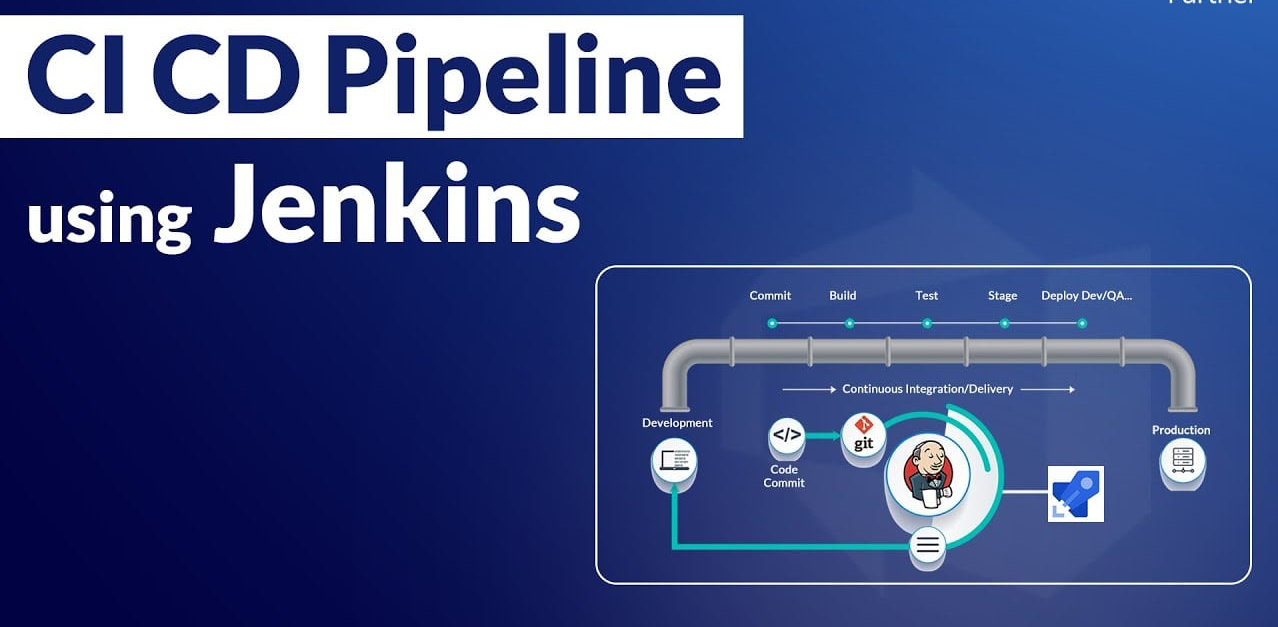
In today’s fast-paced software industry, companies expect faster releases, fewer bugs, and reliable deployments. This is where CI/CD pipelines using Jenkins play a crucial role. If you are planning to build a career in DevOps, learning Jenkins is not optional—it’s essential.
At IntelliQ IT, Ameerpet, Hyderabad, we train students and working professionals to build real-time CI/CD pipelines used by top IT companies. In this blog, you’ll learn how to build your first CI/CD pipeline using Jenkins, step by step.
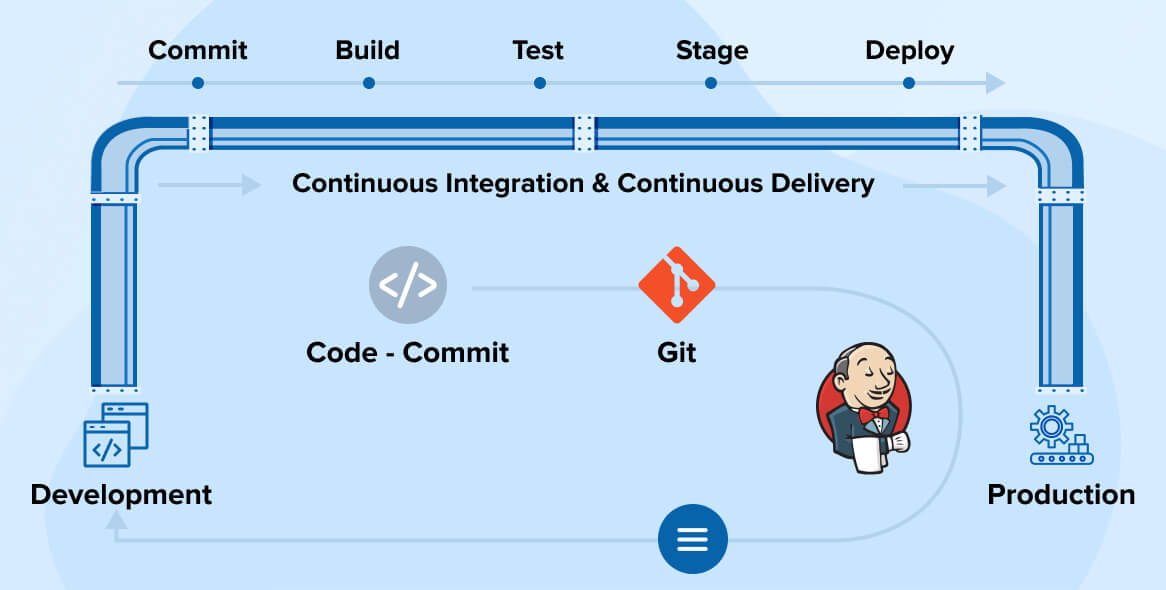
CI/CD stands for:
Continuous Integration (CI): Automatically building and testing code whenever a developer pushes changes.
Continuous Deployment (CD): Automatically deploying the tested code to servers or production.
CI/CD helps teams:
Reduce manual work
Detect bugs early
Deliver software faster and more reliably
This is why CI/CD pipelines are a core DevOps skill taught in every professional DevOps course.
Why Jenkins for CI/CD?
enkins is one of the most popular open-source automation tools in DevOps.
Key reasons to learn Jenkins:
- Open source and widely used
- Thousands of plugins
- Easy integration with Git, Docker, Kubernetes, AWS, and more
- Strong demand in DevOps jobs in Hyderabad
At IntelliQ IT Ameerpet, Jenkins is taught with real-time project scenarios, not just theory.
Prerequisites for Jenkins CI/CD Pipeline
Before building your first pipeline, you should have basic knowledge of:
- Git & GitHub
- Linux commands
- Basic DevOps concepts
👉 These fundamentals are covered from scratch in our DevOps training in Ameerpet, Hyderabad.
Step-by-Step: Building Your First CI/CD Pipeline Using Jenkins
Step 1: Install Jenkins
- Open Jenkins dashboard
- Click New Item
- Select Pipeline
- Give a name (example:
first-ci-cd-pipeline) - Click OK
Step 3: Connect Jenkins with GitHub
Add your GitHub repository URL
Configure Git credentials in Jenkins
This allows Jenkins to fetch code automatically
This step simulates real-time DevOps projects taught at IntelliQ IT.
Step 4: Write a Jenkins Pipeline (Jenkinsfile)
Example Jenkins pipeline:
pipeline {
agent any
stages {
    stage('Checkout Code') {
        steps {
            git 'https://github.com/your-repo/project.git'
        }
    }

    stage('Build') {
        steps {
            echo 'Building the application...'
        }
    }

    stage('Test') {
        steps {
            echo 'Running tests...'
        }
    }

    stage('Deploy') {
        steps {
            echo 'Deploying application...'
        }
    }
}
}
Step 5: Run and Monitor the Pipeline
Click Build Now
Monitor stages in Stage View
Fix errors if any
This hands-on experience is exactly how students learn Jenkins CI/CD pipelines in IntelliQ IT Hyderabad.
Benefits of Jenkins CI/CD Pipeline
- Faster software delivery
- Reduced human errors
- Continuous feedback
- Industry-ready DevOps experience
This is why Jenkins is a mandatory tool in every DevOps engineer role.
Real-Time Jenkins Training at IntelliQ IT, Ameerpet
At IntelliQ IT, we focus on practical DevOps training, not just slides.
What you’ll learn:
- Jenkins installation & configuration
- Declarative & scripted pipelines
- GitHub & Jenkins integration
- Docker + Jenkins CI/CD
- Kubernetes deployment using Jenkins
- AWS DevOps automation
- Real-time interview scenarios
📍 Location: Ameerpet, Hyderabad
🎓 Courses: DevOps, AWS DevOps, Cloud & Automation
👨🏫 Trainers: Industry professionals.
Career Scope After Learning Jenkins CI/CD
After mastering Jenkins pipelines, you can apply for roles like:
- DevOps Engineer
- CI/CD Engineer
- Build & Release Engineer
- Cloud DevOps Engineer
Companies in Hyderabad actively hire professionals with hands-on Jenkins experience.
Conclusion
Building your first CI/CD pipeline using Jenkins is a major milestone in your DevOps journey. With proper guidance and real-time practice, you can become industry-ready faster.
If you’re looking for the best DevOps training institute in Ameerpet, Hyderabad, IntelliQ IT is the right place to start your DevOps career.